RPIC Control Station Zebra Scanner Software Application

HubOps Mobile Companion Application (MCA)
The HubOps Mobile Companion Application (MCA) is a preinstalled application on the Zebra scanner device. The application is designed by the manufacturer for Android devices and is intentionally designed to be used in conjunction with the HubOps Web Application.
The manufacturer provides all Zebra scanner devices purchased with the application installed as part of the scanner device build. Over-the-air (OTA) updates are possible for future versions of the MCA which when provided by the manufacturer can be installed by the purchaser utilizing Microsoft Intune (refer to Appendix C for more details on software updates and patching).
The application contains a login screen. When the RPIC logs into the app, they will enter their username (email address) and password (pin code). The app displays the modules related to the individual’s role and level of access.
The application stores the last 12 verified logins as well as the default location. The RPIC that makes regular use of the device is only required to enter their pin code.
The Hub Selection screen, which allows for choosing the droneport location the operation is being performed, displays the location and 4 tiles for performing various tasks in the application.
The six (6) tile options are titled Pick, Pack, Flight Deck, Piloting, Shifts, and LZs as shown in the figure below.
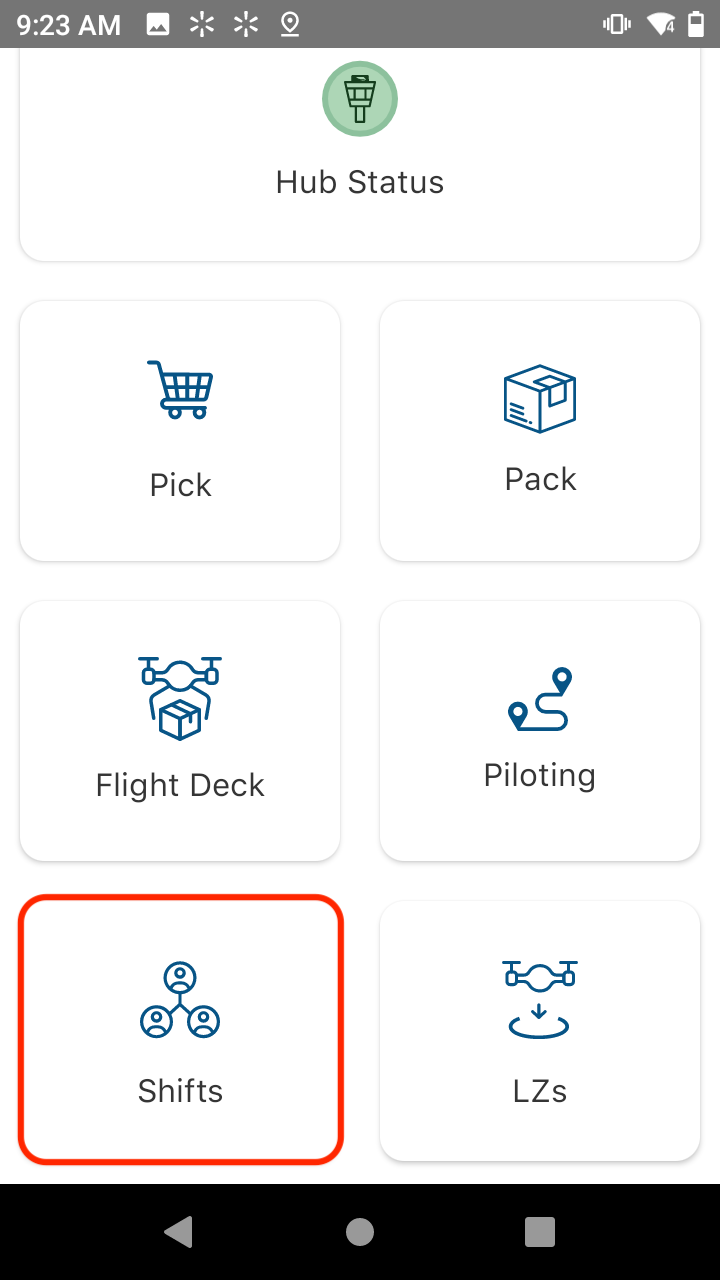
Additionally, there is a Scanning function that provides features for scanning assets to add them to the droneport, mark assets operational, and to log battery charging sessions.
The Pick tile, when selected, provides visibility into orders. Active orders, defined as orders which are not canceled or completed, for Daily Functional Flight Checks (FFC), In-Flight Simulated Delivery, and Package Delivery appear after selecting the “Pick” tile underneath an “Orders List” title.
An audible notification will sound when there is a new incoming order.
The “Pack” tile, when selected, provides the ability for the RPIC to document packing activities for a received order.
The “Flight Deck” tile, when selected, provides the ability for the RPIC to document progress through normal procedures within the UAFM.
The “Piloting” tile, when selected, provides the ability to confirm the flight manifest and confirm the aircraft it is loaded onto for recordkeeping. Once these confirmation steps are completed, the RPIC can send the delivery information to Uncrew. The remainder of features within the “Piloting” tile are to allow the RPIC to document within the application when certain normal procedures within the PRISM V2.3 UAFM are completed.
Specific details on the Pick, Pack, Flight Deck, Piloting, Shifts, and LZs procedures within the HubOps MCA are covered within Section 3 Normal Procedures.