GPS / Compass Failure

INDICATIONS
- Warning Message: “Failsafe Enabled: No Global Position”, or
- Warning Message: “Failsafe Enabled: No Local Position”
- Warning Message: “PRISMSKYXXX: Total Loss of GPS” (Uncrew)
POSSIBLE CAUSES
- Electromagnetic interference
- Hardware failure
FAILSAFE BEHAVIOR
When there is Loss of GPS, the aircraft autopilot commands the aircraft to immediately land in place. The aircraft, due to the Loss of GPS condition, will be unable to maintain its current lateral position and will drift while landing. The lateral velocity of the aircraft will increase as windspeed increases. Upon landing, the aircraft will disarm.
In the event that the aircraft collides with an obstacle or obstacles during its descent, the parachute recovery system will activate if the parachute maneuvering limitations are exceeded.
PROCEDURE
EMERGENCY LOSS OF GPS ANNOUNCE
The RPIC is to announce the voice comms “GPS or Compass Failure” once emergency conditions are identified using the indications information above.
If Landing Area Obstructed and above 110 ft AGL:
AMC: EMERGENCY SHUTDOWN SELECT
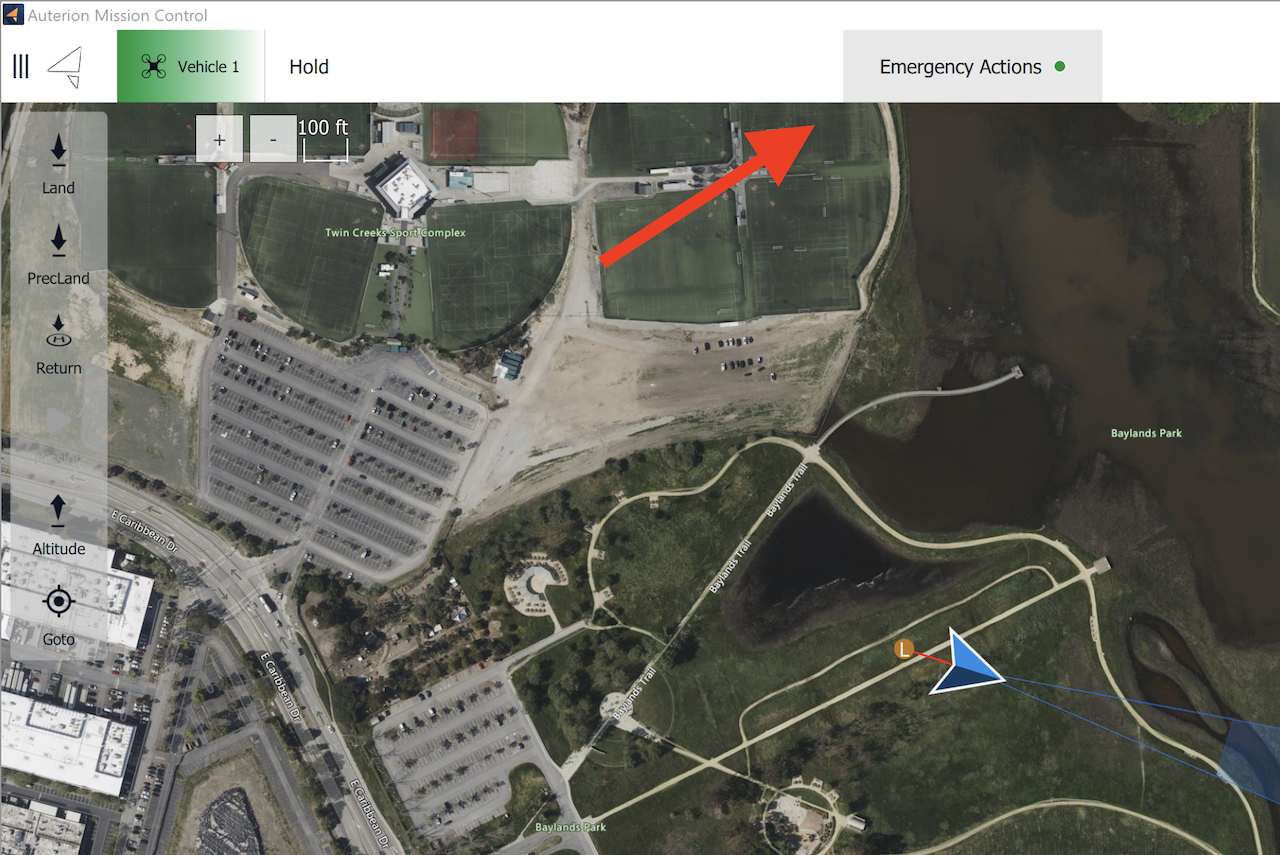
Select the “Emergency Actions” button on the top of the AMC application on the RPIC Tablet. Once pressed, a notification and confirmation popup will appear in the center of the screen.
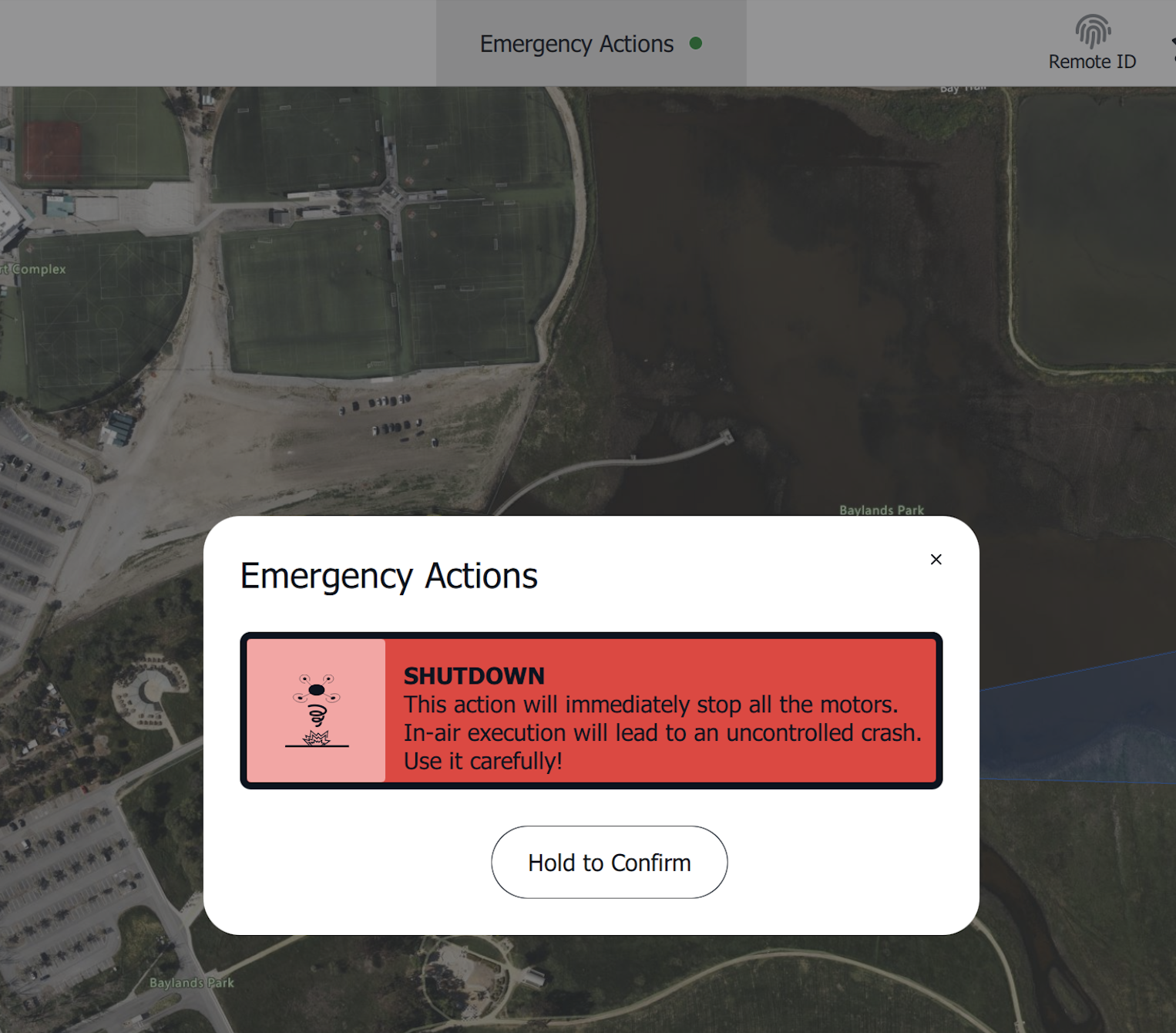
Press and hold the “Hold to Confirm” button to execute the Emergency Shutdown. Once executed, the motors will immediately terminate operation (i.e. stop) and the parachute will deploy.
After deployment, the aircraft is required to be serviced in accordance with the UMM by qualified maintenance personnel.
Record last known location — NOTE B.A.T.H.S.
The RPIC shall note the last known battery percentage, altitude, current time, heading, and speed of the aircraft using the RPIC Control Station. This shall help with the recovery of the aircraft.
AIRCRAFT — SEARCH, RECOVER
The RPIC and/or available crew member(s) will search and recover the aircraft.
If Landing Area Unobstructed:
AMC: LAND FLIGHT MODE VERIFY
The “Land” button (Land Now) is located on the action toolbar on the upper left side of the AMC Fly View on the RPIC Tablet. Selection of this command will result in the aircraft entering Land flight mode and will begin descending for landing.
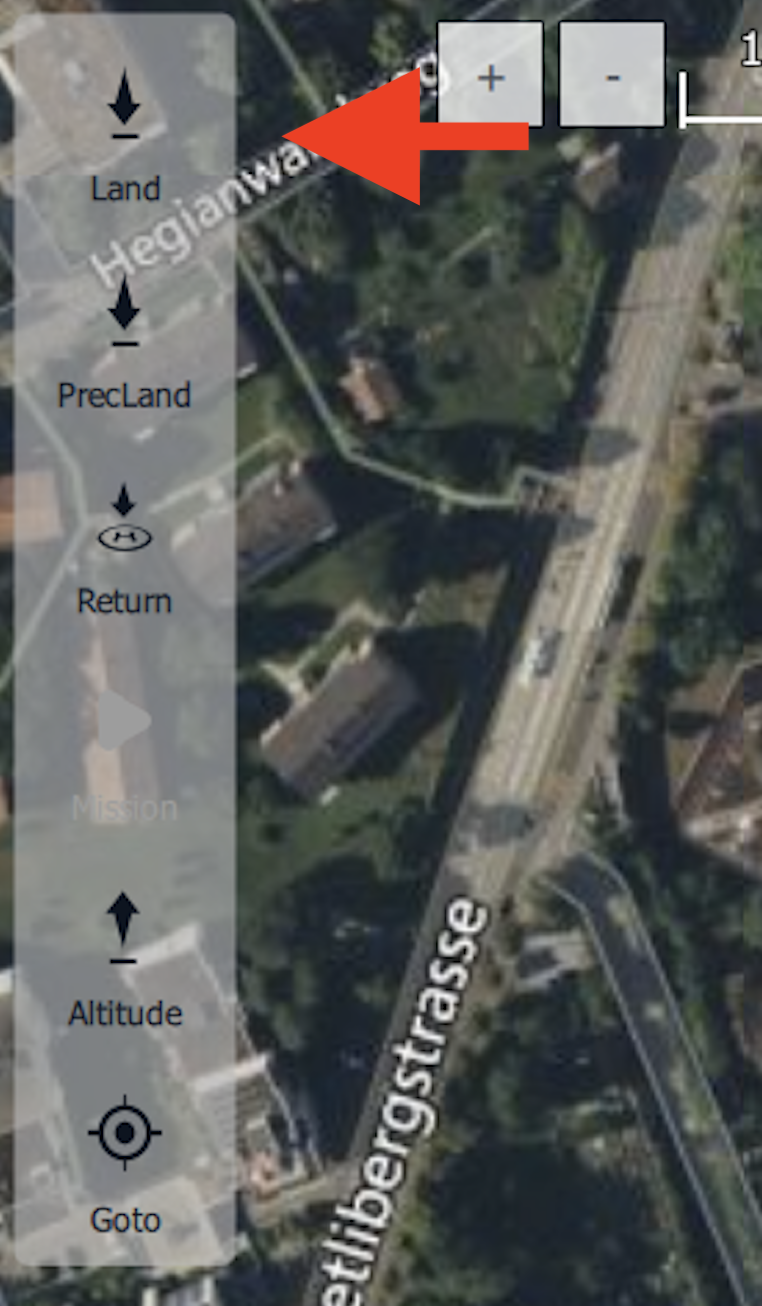
Once the “Land” button is selected, the AMC application requires RPIC confirmation. Press and hold the “Hold to Confirm” button popup found at the bottom of the Fly View map interface.

Once the Land command is confirmed, the aircraft will begin descending to the ground. Once touchdown is achieved, the aircraft will automatically detect the landing and will disarm.
VIDEO FEED MONITOR
The RPIC is to use the ASMIRA video feed on the RPIC Control station to continue monitoring the landing area directly beneath the aircraft.
AMC: DISARMED VERIFY
At the top middle of the Fly View interface of the RPIC Tablet, the RPIC will confirm that the aircraft status shows Disarmed.

AIRCRAFT — RECOVER
The RPIC and/or available crew member(s) will recover the aircraft.