Loss of AMC Connectivity

INDICATIONS
- AMC announces “Communication Lost”
POSSIBLE CAUSES
- VPN failure
- Hardware failure (RPIC Tablet)
- LTE Loss
FAILSAFE BEHAVIOR
There is no Failsafe for this emergency.
PROCEDURE
Loss of AMC ANNOUNCE
The RPIC is to announce the voice comms “Loss of AMC” once emergency conditions are identified using the indications information above.
Uncrew: Return to Home SELECT
Select the Return to Home Button within the Uncrew Mission Console on the RPIC Control Station.
Active LTE on Tablet VERIFY
In the bottom right corner of the RPIC Tablet, select the Wifi button. Once selected, confirm that an LTE connection at the top of the popup menu shows to be active.
VPN — ACTIVE VERIFY
Verify the VPN Client has an active connection via the VPN interface on the RPIC Tablet.
AMC — RECONNECT
Select the Auterion logo in the top left corner in the AMC application on the RPIC Tablet.
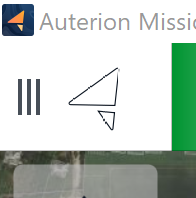
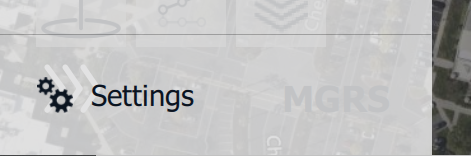
Navigate and select the “Settings” tab which is found at the bottom of the expanded panel.
Navigate and select the “Comm Links” tab found in the top left of the expanded panel.

Navigate and select the active aircraft in use then select the “Connect” button found in the bottom of the screen.

If AMC is not available prior to delivery attempt:
Refer to In-Flight Remote ID Failure Procedure, Section 4.2.7.3