Winch Failsafe Failure - Land In Place

INDICATIONS
Winch Failure - Package Not Releasing, Section 4.3.2.2 has been attempted without a successful result (i.e. complete release of line and external load)
External load and line still connected to winch after winch freespool command has been issued
POSSIBLE CAUSES
- Winch failure
FAILSAFE BEHAVIOR
After the third and final delivery attempt, the winch automatically enters into a Hold state and awaits commands from the RPIC or the automated loss of comms failsafe.
PROCEDURE
EMERGENCY WINCH FAILURE ANNOUNCE
The RPIC is to announce the voice comms “Winch Failure” once emergency conditions are identified using the indications information above.
VO: Location — RELOCATE TO AIRCRAFT POSITION
The RPIC shall communicate with the VO to relocate to the aircraft position.
Using video feed, determine if area below aircraft is clear for landing VERIFY
The RPIC is to use the ASMIRA video feed on the RPIC Control Station to inspect the landing area directly beneath the aircraft.
If Landing Area is clear:
Use video feed to determine wind effects on external load INSPECT
The RPIC is to use the ASMIRA video feed on the RPIC Control Station to determine the wind effects on the external load.
AMC Click to Fly: Navigate aircraft in opposite direction of wind and package ENGAGE
The Goto command is located on the action toolbar on the upper left side of the AMC Fly View on the RPIC Tablet. Selection of this command will result in the aircraft flying a direct path to the desired waypoint set on the map by the RPIC. The RPIC must set the waypoints in a manner that ensures the aircraft does not fly over No Fly Areas.
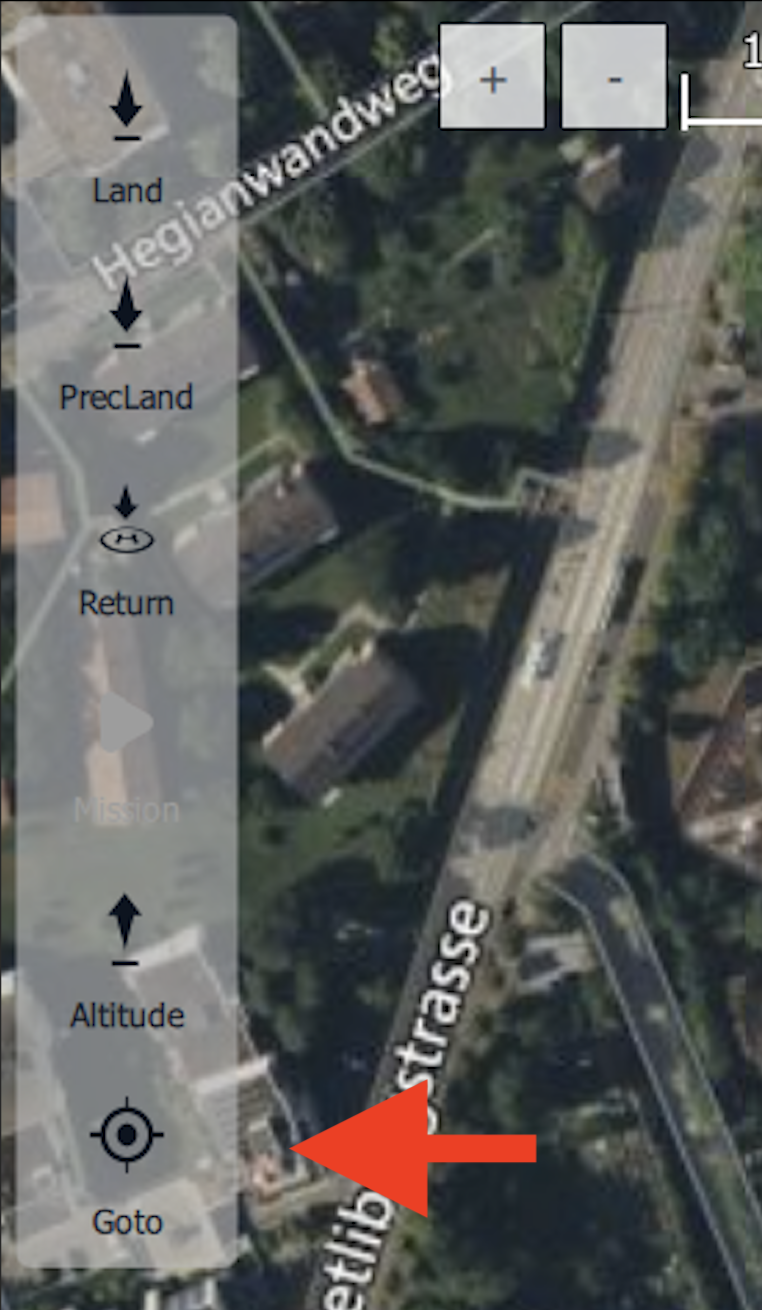
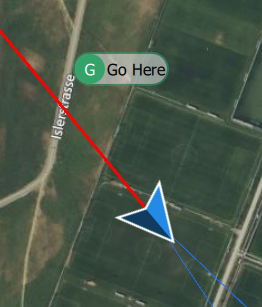
Once the “Goto” button is selected, the RPIC will create a waypoint by clicking at the desired point on the map. Once a waypoint is selected, a small point can be seen on the Fly View map interface.
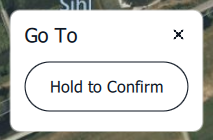
Once the desired waypoint is selected, the AMC application will require RPIC confirmation. Press and hold the “Hold to Confirm” button popup found at the bottom of the Fly View map interface.
Once the Goto command is confirmed, the aircraft will begin to fly a direct path to the set waypoint.
If Landing Area is obstructed:
VO: Clear the landing area VERIFY
The VO shall clear the landing area and communicate the area is clear to the RPIC. Aircraft remains in Hold Mode until this time.
Use video feed to determine wind effects on external load INSPECT
The RPIC is to use the ASMIRA video feed on the RPIC Control Station to determine the wind effects on the external load.
AMC Click to Fly: Navigate aircraft in opposite direction of wind and package ENGAGE
The Goto command is located on the action toolbar on the upper left side of the AMC Fly View on the RPIC Tablet. Selection of this command will result in the aircraft flying a direct path to the desired waypoint set on the map by the RPIC. The RPIC must set the waypoints in a manner that ensures the aircraft does not fly over No Fly Areas.
Once the “Goto” button is selected, the RPIC will create a waypoint by clicking at the desired point on the map. Once a waypoint is selected, a small point can be seen on the Fly View map interface.
Once the desired waypoint is selected, the AMC application will require RPIC confirmation. Press and hold the “Hold to Confirm” button popup found at the bottom of the Fly View map interface.
Once the Goto command is confirmed, the aircraft will begin to fly a direct path to the set waypoint.
Land Mode ENGAGE
The Land command (Land Now) is located on the action toolbar on the upper left side of the AMC Fly View on the RPIC Tablet. Selection of this command will result in the aircraft entering Land flight mode and will begin descending for landing.
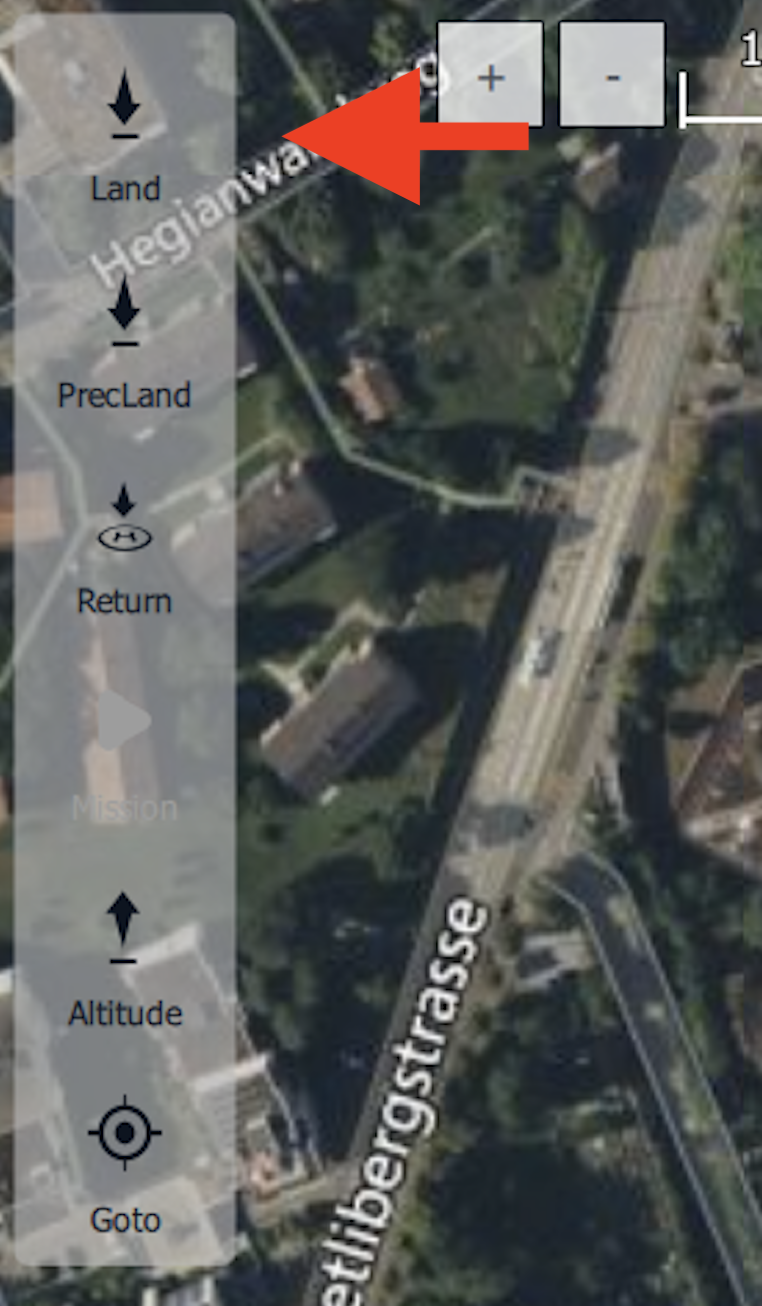
Once the “Land” button is selected, the AMC application will require RPIC confirmation. Press and hold the “Hold to Confirm” button popup found at the bottom of the Fly View map interface.
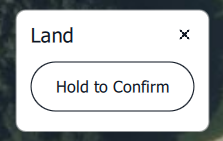
Once the Land command is confirmed, the aircraft will begin descending to the ground. Once touchdown is achieved, the aircraft will automatically detect the landing and will disarm.