CI Observability

Originally
ADR-0027-CI-OBSERVABILITY (v5) · Source on Confluence ↗Title
Context
In order to make sure we provide the best experience to end users, we need to be able to safely and timely deliver our products to them. Tracking deployment frequency and lead time, as recommendeded by DORA, can help us identify how fast and often we can deliver changes to the production environment. CircleCI allows us to track what was deployed and when, so now we need to combine it with GitHub and Jira data sources to have visibility over Deployment Frequency and Lead Time to Production metrics.
Decision
Use integration between CircleCI and Jira to publish metrics about successful deployments to various environments. Jira will be the source of truth for tracking deployment frequency and lead time on stories.
This approach contains few stages:
CircleCI deployment orb runs through the following steps to submit information to Jira:
- Pipeline takes branch name, commit message, or tag message;
- Searches for Jira issue ids in those;
- Checks if job name has dev or prod string in it;
- Submits information to Jira for collected list of issues and captured environment.
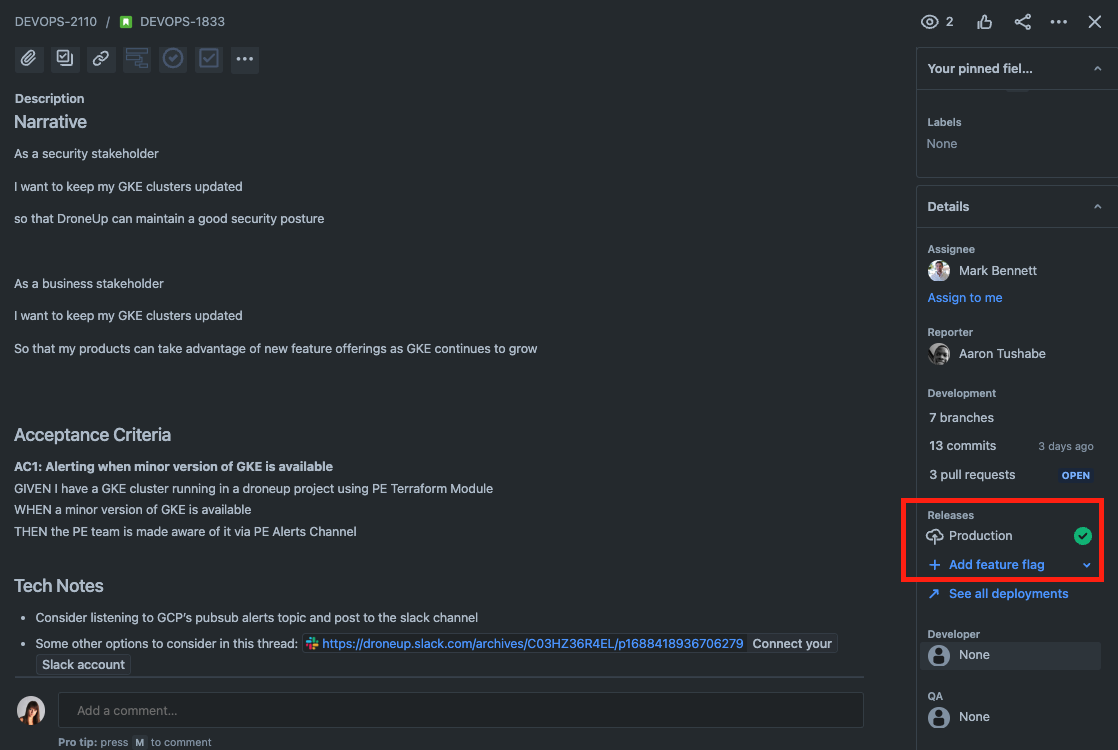
Jira shows the corresponding information in Jira ticket.
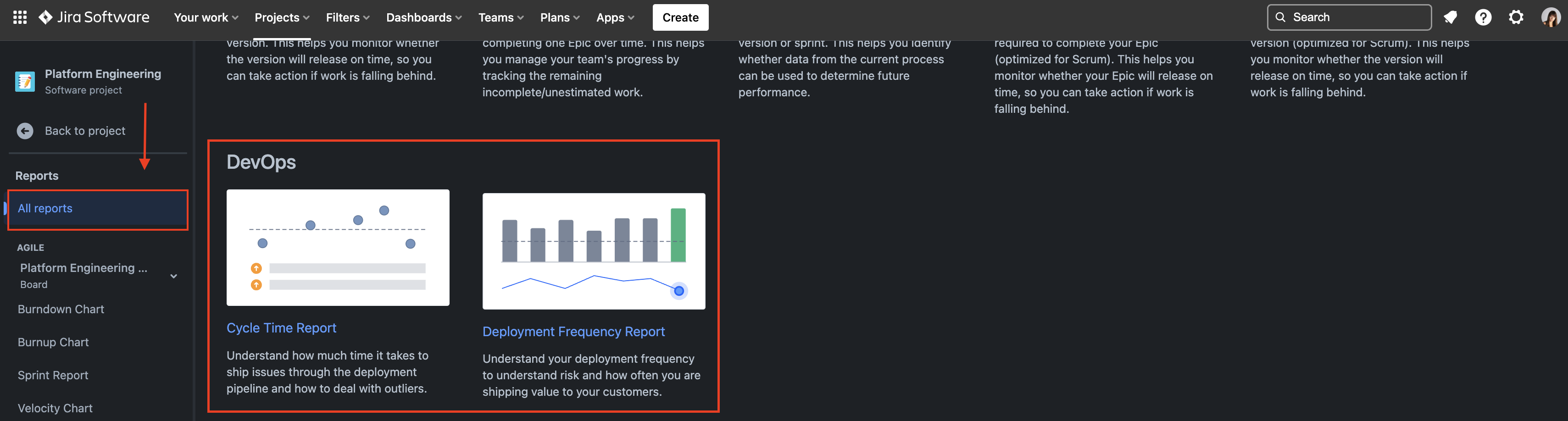
Jira collects information about all deployments for one project in 2 reports:
All reports->DevOps->Cycle Time ReportandDeployment Frequency Report
Consequences
In order for the integration to collect the data, adoption of Google Secret Manager and version 4.1.0 of CircleCI Deployment Orb is required. The necessary CircleCI context must be passed to the CircleCI deployment job to have connection to Jira. These steps are documented here.
CircleCI orb checks each individual commit separately, so if you merged multiple PRs one after another and only latest got deployed to production, pipeline won’t be able to go back in time and compare, how many commits were skipped in deployment. In order to make sure you capture all information about your deployments in Jira, there are 2 ways to approach that:
- Deploy smaller changes, so push every merge in trunk up-to-production, that way you will be able to quickly identify the changes that will cause some issues and outages and also you will have reliable process for delivering software up to the end user;
- When you are ready to deploy multiple changes to produciton, open new PR and list Jira issues that are planned to be deployed in PR message. Then when you merge and trigger production deployment job, it will collect last PR meessage as commit message and submit information to Jira successfully.
Alternatives Considered
Honeycomb
Pros:
- Central observability across different products and tools
Cons:
- Poor documentation
- No pre-configured dashboards
- Multiple steps across CI pipeline to calculate Lead Time to Production
- Not stable CircleCI orb
- Require building custom honeycomb dashboards for tracking consumed metrics
Jira integration
Pros:
- Jira integration to submit deployment data
- Built-in Jira reports for tracking Deployment Frequency and Lead Time to Production by project
- Solid CircleCI orb
- One webhook setup that integrates it for all existing Jira projects
- Jira as a central place for tracking story progress
- Additional details will be in the Jira ticket if story was deployed to dev or prod environment
Cons:
- No way to customize report in Jira, you can only select time period for where you want to track your data
Fourkeys
Cons:
- Requires building and maintaining its own infrastructure with PubSub and Bigquery to have a storage of metrics and system to view those
- Requires using a separate portal to track data (BigQuery view dashboard)
- Requires building logic outside of this product when different events are happening instead of collecting existing data
- No built-in CircleCI integration (orb)
- Built-in dashboard is intended for Grafana, so will require running separate Grafana deployment or integrate with something else
Links
Cited by queries
- Observability and metrics across DroneUp — 2026-04-24